How To Reset Volkswagen Key Fob

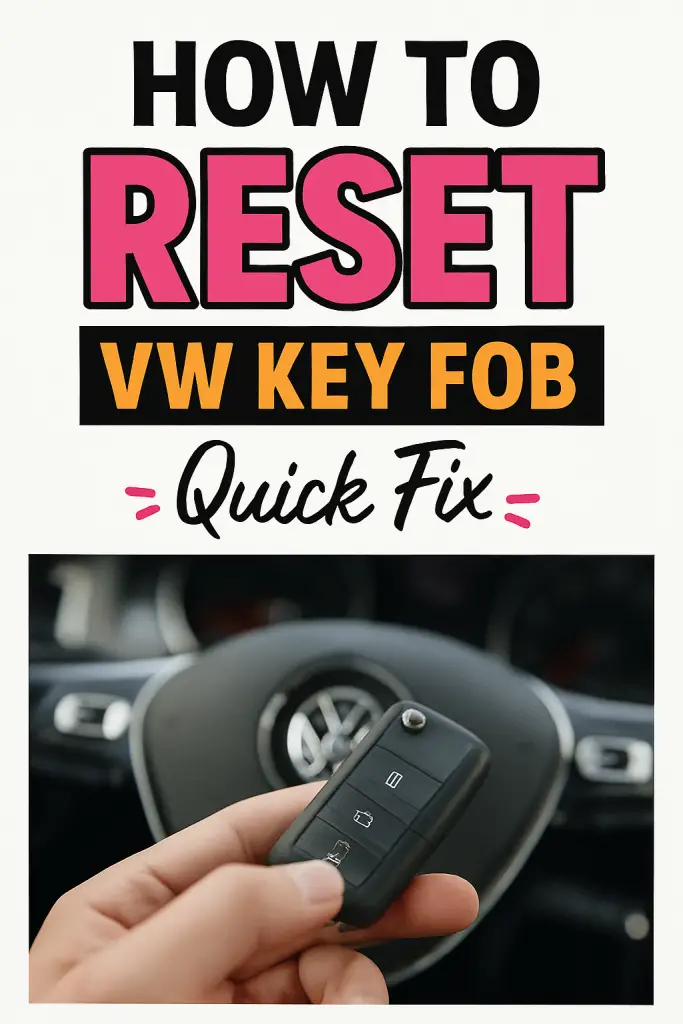
Why Your VW Key Fob Is Suddenly Acting Weird
Let me guess—you pressed the unlock button, and nothing happened. Or worse, your Volkswagen started throwing a tiny electronic tantrum right when you were already running late. Been there, done that. I’ve personally dealt with VW key fobs that refused to unlock, lost sync after a battery change, or decided to work only when they felt like it. Super annoying, right?
The good news? You usually don’t need a dealership visit to fix this. Resetting a Volkswagen key fob is often quick, simple, and totally DIY-friendly. In this guide, I’ll walk you through exactly how to reset your VW key fob, explain why it stops working in the first place, and help you avoid common mistakes that make the problem worse. Let’s fix this thing together.
Understanding How a Volkswagen Key Fob Actually Works
Before we jump into button-mashing, it helps to know what’s going on behind the scenes. Your Volkswagen key fob isn’t just a remote—it’s a paired security device that communicates with your car using a coded radio signal.
When everything works properly, the system:
- Sends a secure signal from the fob
- Confirms the code matches your vehicle
- Unlocks doors or allows the engine to start
If that communication breaks, the car basically says, “I don’t know you.” And yes, it’s as dramatic as it sounds.
Common reasons this connection breaks include:
- Battery replacement in the key fob
- Weak or dying battery
- Electrical glitches in the car
- Key fob left unused for a long time
- Interference from other electronics
FYI, none of this means your key fob is “dead.” It just needs a reset and a little reassurance.
Signs Your Volkswagen Key Fob Needs a Reset
Not sure if a reset is actually necessary? Here are the most common red flags I’ve seen over the years.
Your VW key fob likely needs resetting if:
- Doors won’t lock or unlock remotely
- The car starts, but the remote buttons don’t work
- The fob only works intermittently
- The problem started right after a battery change
- You need to hold the fob extremely close to the car
Sound familiar? If you’re nodding right now, keep reading—you’re in the right place.
The Classic Volkswagen Key Fob Reset Method (Works for Most Models)
This is the most reliable DIY reset method for many Volkswagen models, including Jetta, Passat, Golf, Tiguan, and Atlas. I’ve personally used this one more times than I can count.
Here’s exactly what to do:
- Get inside your Volkswagen and close all doors.
- Insert the key into the driver-side door lock (not the ignition).
- Turn the key to the unlock position, but don’t release it.
- While holding the key in the unlock position, press the unlock button on the key fob.
- Hold both for about 5–10 seconds.
- Release everything and remove the key.
- Test the key fob by locking and unlocking the doors.
If done correctly, the fob should re-sync instantly. Simple, right?
Pro tip: If it doesn’t work the first time, repeat the process once more. IMO, VW electronics sometimes need a second nudge.
Resetting the Key Fob After a Battery Change
This is hands-down the most common reason people end up searching for this fix. You change the battery, feel proud of yourself, and then… the key fob stops responding. Classic Volkswagen moment.
After replacing the battery:
- The fob may lose synchronization
- The car may no longer recognize the signal
- Buttons might appear completely dead
To fix this, try this quick re-sync method:
- Sit inside the vehicle
- Insert the key into the ignition
- Turn it to the “ON” position (don’t start the engine)
- Press and hold the lock button on the key fob
- Hold for 5 seconds, then release
- Turn off the ignition and remove the key
Test the fob right away. In many cases, this alone solves the problem.
What If Your Volkswagen Has Push-Button Start?
Push-button start models can be a little trickier, but don’t worry—still doable at home. These systems rely heavily on proximity sensors and fob communication.
Try this method:
- Sit in the driver’s seat with the key fob
- Press the start button without pressing the brake
- Hold the key fob close to the start button
- Press and hold the lock button on the fob for 5–10 seconds
- Turn the vehicle off and exit
- Test the lock and unlock buttons
If your VW recognizes the fob again, you’ll notice immediate response.
Common Mistakes That Can Stop the Reset from Working
Here’s where many people accidentally sabotage their own reset attempt. I’ve seen all of these in real life.
Avoid these mistakes:
- Using the wrong door (driver door matters)
- Releasing the key too early
- Weak or incorrect battery type
- Standing outside the vehicle during reset
- Trying the process too fast
Take your time. Slow and steady wins here.
Checking the Key Fob Battery the Right Way
Before blaming the electronics, make sure the battery is actually good. Sounds obvious, but you’d be shocked how often this is the issue.
Key things to double-check:
- Battery type matches OEM spec (usually CR2032)
- Battery is installed with correct polarity
- Contacts inside the fob are clean
- Battery is brand new (not “new-ish”)
A weak battery can cause partial functionality, which is way more confusing than total failure.
When a Reset Won’t Fix the Problem
Sometimes, no matter how perfectly you follow the steps, the fob just won’t cooperate. That usually means the issue is deeper than a simple reset.
Possible causes include:
- Damaged key fob circuitry
- Water exposure
- Vehicle module fault
- Lost or corrupted programming
- Aftermarket alarm interference
At this point, a professional reprogramming session may be required.
Can You Reprogram a Volkswagen Key Fob Without a Dealer?
This is a super common question—and the honest answer is “sometimes.”
Basic resets? Absolutely DIY.
Full reprogramming? That depends.
In many cases:
- Older VW models allow limited DIY programming
- Newer models require dealer-level diagnostic tools
- Locksmiths can often do it for less than the dealership
IMO, if a reset doesn’t work and the fob is physically fine, a certified automotive locksmith is your best next step.
How Much Does Volkswagen Key Fob Reprogramming Cost?
Let’s talk money, because that matters.
Typical costs:
- DIY reset: $0
- Locksmith reprogramming: $50–$150
- Dealership programming: $150–$300
- New key fob replacement: $200–$500
Trying a reset first can literally save you hundreds of dollars.
Preventing Key Fob Problems in the Future
Once you get your key fob working again, you’ll want to keep it that way. Trust me, future-you will appreciate it.
Best practices:
- Replace the battery every 1–2 years
- Avoid dropping the fob
- Keep it away from moisture
- Don’t store it near strong magnets or electronics
- Use a protective key cover
Small habits make a big difference.
Conclusion: You’ve Got This (Seriously)
Resetting a Volkswagen key fob might sound intimidating at first, but as you’ve seen, it’s usually a quick and painless fix. Most issues come down to lost synchronization, especially after a battery change. With a few simple steps, you can restore full functionality without spending a dime.
If there’s one takeaway here, it’s this: always try a reset before panicking. Your wallet will thank you, and you’ll feel like a total DIY hero 😄. So go ahead—grab that key, try the steps, and get back to enjoying your Volkswagen the way it was meant to be.

![Volkswagen Lay Off [How To Fix It Instantly]](https://volkswagenbuddy.com/wp-content/uploads/2024/05/volkswagen-lay-off-how-to-fix-it-instantly_4480-768x531.jpg)
![2001 Volkswagen Passat Not Shutting Off [Reasons + Fixed]](https://volkswagenbuddy.com/wp-content/uploads/2024/05/2001-volkswagen-passat-not-shutting-off-reasons-fixed_4494-768x531.jpg)
![Volkswagen Passat Air Conditioning Not Working [Step-By-Step Fixes]](https://volkswagenbuddy.com/wp-content/uploads/2024/05/volkswagen-passat-air-conditioning-not-working-step-by-step-fixes_3885-768x531.jpg)

![Anything In My Volkswagen Worth Taking Off [Fix It For Good]](https://volkswagenbuddy.com/wp-content/uploads/2024/05/anything-in-my-volkswagen-worth-taking-off-fix-it-for-good_4540-768x531.jpg)