How to Change Your Volkswagen Key Battery

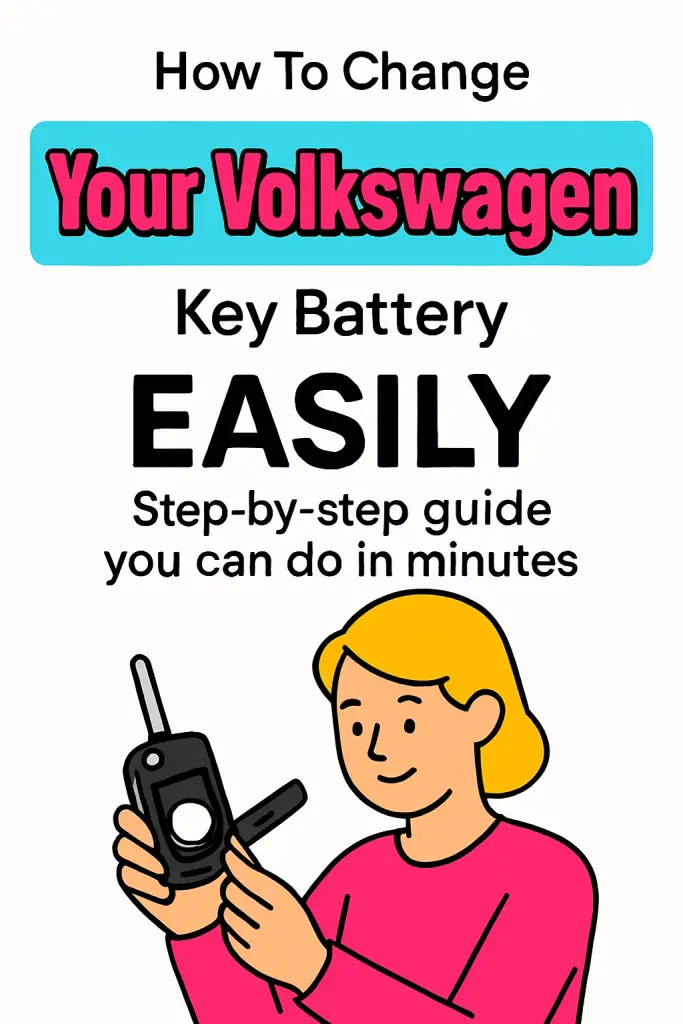
If your Volkswagen key fob has been acting moody lately—maybe the range has dropped, the doors aren’t locking on the first click, or you’re basically pressing the button like a video-game speedrunner—then you’re definitely in the right place. A weak key fob battery is one of the most common little annoyances VW owners run into. The good news? Changing it is super easy, cheap, and honestly kind of satisfying once you know what to do.
I’ve personally dealt with this more times than I can count—between helping friends, troubleshooting my own VW, and showing random neighbors how to crack open their key fob without breaking it (don’t worry, you won’t break yours). So consider this guide your friendly walk-through. Grab a fresh battery, get comfortable, and let’s fix that key fob together.
Understanding Your Volkswagen Key Fob
Before we start popping things open, it helps to know which type of VW key fob you have. VW uses a few different designs, and while they’re pretty similar, each one has its own “personality.”
Common VW Key Fob Types
Different Volkswagen models use slightly different fobs, but most fall into one of these categories:
- Flip-key fob (the iconic switchblade folding key)
- Smart Key / Keyless Access fob
- Older fixed-blade remote key fob
So which one do you have? Let’s break them down so you can quickly identify yours.
Flip-Key (Switchblade) Fob
This is probably the most recognizable VW key. Press the side button and the key blade flips out dramatically—very James Bond. It usually requires a CR2032 battery.
Flip keys have two shell halves that snap together, and the battery sits under a thin plastic cover inside. Easy to open, easy to change.
Smart Key / Keyless Entry Fob
You’ll recognize this one if your VW has push-button start. No flip-out blade—just a sleek rectangle with a detachable emergency key. This one also commonly uses a CR2032 or CR2025 battery.
The battery compartment is accessed by sliding off the back cover once you remove the mechanical key.
Older VW Remote Fobs
If you have a pre-2010(ish) model, your fob might be bulkier with rubber buttons. These usually take a CR2032 battery as well.
So in most cases, VW keeps it simple—you’ll almost always need a CR2032, which is cheap and available everywhere.
Signs Your VW Key Battery Needs Replacing
“Do I really need to change it now?” you might be asking. Here’s how to know the battery is on its last legs.
Reduced Range
If you normally unlock the car from across the driveway but lately have to walk right up to it, the battery is likely weak.
Delayed Response
You click… nothing happens. You click again… still nothing. Then suddenly all doors unlock at once. Classic low-battery vibe.
Dashboard Warning
Most modern VWs literally tell you what’s wrong with a message like:
“Key battery low.”
If your car is talking to you, listen.
Total Failure
Worst case? The fob stops responding altogether. No panic, though—you’ll still be able to unlock the door manually with the hidden emergency key.
Tools and Batteries You’ll Need
Before we get hands-on, let’s gather the essentials.
Required Battery
CR2032 is the go-to, but always double-check your specific fob. Some models prefer the CR2025—a bit thinner but similar.
Tools You’ll Want
You don’t need a mechanic’s toolbox—just a couple of simple items:
- Small flat-head screwdriver (or a plastic pry tool to protect the surface)
- Replacement battery (name-brand recommended for reliability)
- Clean cloth or tissue (to avoid touching the new battery with oily fingers)
That’s literally it. Easy, right?
How to Change the Battery in a Volkswagen Flip-Key Fob
Let’s start with the classic flip-key since it’s the most common.
Step 1: Flip Out the Key
Press the silver button to deploy the metal key blade. This exposes the seam of the fob, making it easier to open.
Step 2: Locate the Battery Cover
Look at the back of the fob—you’ll see a small indentation or slot where the screwdriver can fit.
Step 3: Pry Open the Case
Gently twist your screwdriver in the slot. You should hear a soft pop as the cover separates. Don’t worry—it’s designed to do this.
Step 4: Remove the Old Battery
Once the cover is off, lift the battery out using your fingernail or the screwdriver tip. Remember which side faces up—usually the positive (+) side faces outward.
Step 5: Insert the New Battery
Place the new battery in exactly the same orientation.
Important: Avoid touching the flat surfaces with your fingers—oil reduces battery life. Hold it by the edges.
Step 6: Snap the Cover Back On
Press the plastic cover into place until it clicks securely. Try the buttons to confirm everything feels right.
Boom—you’re done! 🎉
How to Change the Battery in a VW Keyless Access / Smart Key Fob
These are slightly different but still very straightforward.
Step 1: Remove the Mechanical Key
On the side of the fob, press the small release button. Slide out the metal backup key.
Step 2: Separate the Fob Housing
Where the mechanical key was, you’ll see a small gap. Insert your flat tool here and gently twist.
The back panel should slide upward or pop off, depending on the design.
Step 3: Swap the Battery
You’ll find the round battery sitting inside a plastic holder.
Again, positive side faces outward.
Replace it with a new CR2032 or CR2025, whichever yours uses.
Step 4: Reassemble
Slide the back panel on, insert the key, and give the buttons a test press. That’s it!
How to Change the Battery on Older VW Remote Fobs
Older designs vary slightly, but most follow this pattern.
Step 1: Look for a Screw
Some older fobs actually have a tiny screw holding the halves together. Remove it first.
Step 2: Separate the Fob
Use your pry tool along the seam until the shell opens.
Step 3: Replace the Battery
Pop out the old one, insert the new one, and ensure the contact points are clean.
Step 4: Reassemble
Snap the case back together and reinstall the screw (if applicable).
Nothing tricky here—just a simple battery swap.
Best Practices to Avoid Damaging Your VW Key Fob
A key fob is tougher than it looks, but a few mistakes can shorten its lifespan.
Avoid Using Excess Force
If something doesn’t open easily, don’t start wrestling with it. You might be pushing on the wrong side.
Don’t Touch Battery Surfaces
Fingerprints = oil = reduced conductivity = shorter life. Always hold the battery by the edges.
Stick to Quality Batteries
Cheaper batteries drain faster and sometimes leak.
Brands like Panasonic, Energizer, and Duracell are your safest bet.
Keep the Water Away
Even though VW fobs are decent at handling daily wear, they aren’t waterproof. Moisture inside the fob is a recipe for corrosion.
Check for Loose Components
If anything rattles when you shake the fob, something isn’t seated properly. Open it again and realign the internals.
Troubleshooting Tips if Your VW Key Still Doesn’t Work
Changed the battery but still nothing? Don’t panic yet.
Try Re-Syncing the Key
Some VW models require a quick re-sync after a battery change. Here’s a common method:
- Insert the key into the ignition.
- Turn it to the “On” position (don’t start the engine).
- Press the “Unlock” button on the key fob.
- Turn off the ignition and remove the key.
That should re-establish communication between the fob and the car.
Check the Battery Orientation
It sounds obvious, but trust me—I’ve done it wrong once or twice 😅.
Make sure the + side is facing the correct direction.
Clean the Battery Contacts
A little dust or corrosion can interrupt power flow. Gently scrape with a cotton swab or a pencil eraser.
Try Another New Battery
Rare? Yes. Impossible? Nope. Sometimes batteries are dead right out of the package.
Consider Internal Damage
If your fob was dropped hard or crushed, the electronics inside might be damaged. In this case, a fob replacement may be needed.
When Should You Replace the Entire Key Fob?
The battery is usually the problem, but not always. Here’s when a full replacement might be necessary:
- Buttons feel mushy or no longer click
- Fob shell is cracked or splitting apart
- Car doesn’t recognize the fob even after re-syncing
- Visible corrosion inside the circuit board
- Immobilizer chip damage (rare but possible)
Replacement fobs can be pricey, but sometimes unavoidable.
How Much Does It Cost to Replace a VW Key Battery?
One of the best parts of doing this job yourself is the cost: usually $2–5 USD.
Compare that with a dealership who might charge $20–50 for the exact same battery change. IMO, doing it yourself is a no-brainer.
Need a battery quickly? You can find CR2032s at:
- Grocery stores
- Auto parts stores
- Pharmacy chains
- Amazon
- Hardware shops
Just check the expiration date to make sure you’re getting a fresh one.
How Long Do VW Key Batteries Last?
Typically, 1–2 years depending on usage. If you’re constantly locking/unlocking or using keyless entry, the battery drains a bit faster.
Cold weather can also reduce battery efficiency temporarily, which is why many people notice weaker fobs in winter.
Final Tips to Make Your VW Key Battery Last Longer
Want to stretch the lifespan? Try these habits:
- Keep the fob away from extreme heat (sun on dashboard = bad).
- Don’t store it in tight pockets where buttons get pressed accidentally.
- Avoid dropping the fob frequently.
- Replace the battery at the first sign of weakness instead of waiting for total failure.
Simple habits go a long way.
Conclusion
Changing your Volkswagen key battery is one of those small DIY wins that feels great once you’ve done it. It’s fast, inexpensive, and saves you a trip to the dealership. Now that you know how to identify your fob type, which battery you need, and how to replace it safely, you’re fully equipped to handle the job anytime your VW starts acting like it needs a little “digital caffeine boost.”
So the next time someone complains that their VW key is dying, guess what? You’re officially the expert. 😎
And hey—whether you’re tackling more DIY car fixes or just love keeping your VW in top shape, keep exploring and learning. There’s always something new to upgrade, tweak, or master.

![Are Volkswagen Tiguan Reliable Cars: [Find Out]](https://volkswagenbuddy.com/wp-content/uploads/2024/02/are-volkswagen-tiguan-reliable-cars-find-out_736-768x531.jpg)
![Is Audi a Volkswagen Luxury Brand [Answered]](https://volkswagenbuddy.com/wp-content/uploads/2024/02/is-audi-a-volkswagen-luxury-brand-answered_1582-768x531.jpg)

![Volkswagen Radio Not Working: [Causes & Proven Solutions]](https://volkswagenbuddy.com/wp-content/uploads/2024/02/volkswagen-radio-not-working-causes-proven-solutions_160-768x531.jpg)
![Volkswagen Headlights Not Working: [Causes & Proven Solutions]](https://volkswagenbuddy.com/wp-content/uploads/2024/02/volkswagen-headlights-not-working-causes-proven-solutions_183-768x531.jpg)
![What Do I Do If I Lost My Volkswagen Key [Answered]](https://volkswagenbuddy.com/wp-content/uploads/2024/02/what-do-i-do-if-i-lost-my-volkswagen-key-answered_1625-768x531.jpg)